|
Digital Future specializes in developing human voice computer synthesis software (text-to-speech software).
Providing exceptional voice quality through our partners, we strive to
utilize these cutting-edge voice technologies to the fullest, implementing computer and software automation that greatly enhances and
complements them. Our success with our text-to-speech product, TextSpeech Pro, has proven that the unique technological principals and wide features
of the voice synthesis system that we provide are highly valued and unique.
TextSpeech Pro is a professional text-to-speech software product, proudly awarded "The Best Text-to-Speech Software for Linux".
*** Do not get fooled by other "similar" software! TextSpeech Pro is the highest quality and the most feature-rich text-to-speech software on the market used by many Fortune 500 companies! ***


TextSpeech Pro is powered by the world's best technologies of:
Listen to voice demos below:
Cepstral voice demos:
Please choose a voice, enter text below, and hit "Synthesize the Text":
Supported languages:
 | U.S. English |
 | U.K. English |
 | (Americas) Spanish |
 | Canadian French |
 | German |
Supported operating systems:
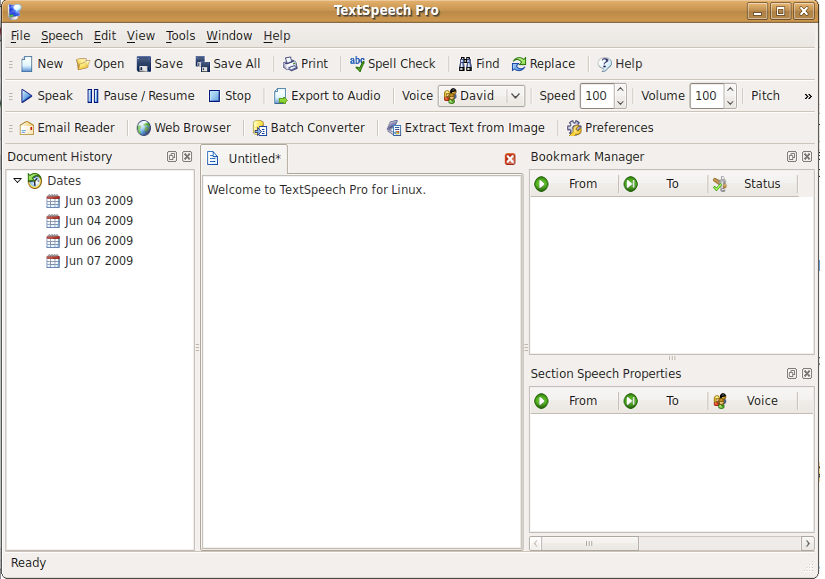
List of all features of TextSpeech Pro for Linux
Built on the latest text to speech technology; Synthesize text-to-speech from any document format (text, Microsoft Word, PDF, Microsoft Excel, RTF, etc) using a variety of voices and languages; Read web pages using integrated text-to-speech tools; Export the synthesized speech from documents to a variety of audio file formats in three modes (quick, normal and batch); Create and modify conversations, bookmarks and pauses (silence breaks) in a document using an advanced text-to-speech editor; Modify speech properties (voice, speed, volume, pitch, word highlighting) and speech entities (bookmarks, conversations, pauses) on the fly; Extract text from scanned documents and convert it to speech or audio files; Create custom pronunciations using a universal correction system; Save the created documents with all specified voice settings and entities (voice type, pitch, speed, volume, bookmarks, conversations, pauses, word highlighting) for future use; Pause, resume or stop the speaking voice; Tune the speech output using standard XML tags; Use a fully featured document editor with many text processing features (text manipulation, spell checker, print and print preview, find and replace, go to line..., customizable fonts, zoom capabilities, and document properties view); Mark copied text to be automatically transferred and converted to speech; Access previously used documents from a high-capacity document history; Utilize a rich and fully configurable user interface (UI) equipped with customizable window docks, toolbars, a multi-tabbed document interface and a layout-saving framework;
|